Generate an image
Snotra can draw an image from a description — an illustration for a README, a header for a page, an icon draft — and save it as a file in the open folder.
What you need
Section titled “What you need”- An OpenAI key under Settings › Models. Snotra uses it for the images, whichever model the chat runs on. See Connect a model.
- An open folder; the image is saved there.
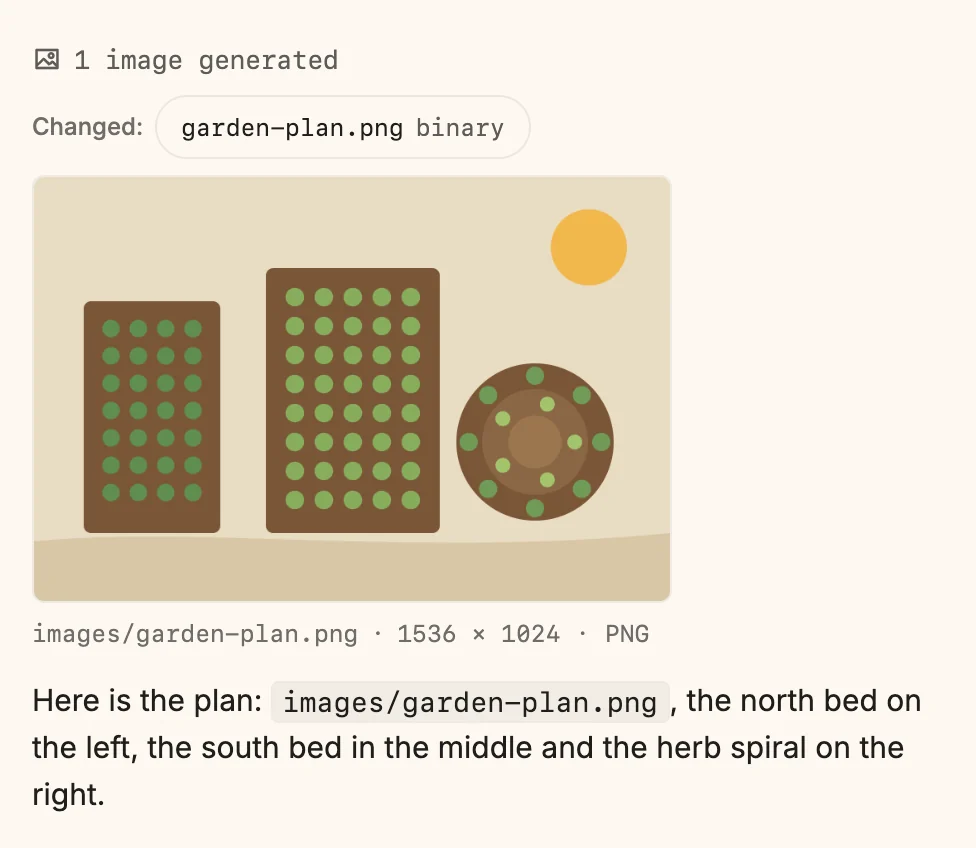
- Ask for the image in the chat, and say where it should go if it matters: Draw me a plan of the three beds for the README, as images/garden-plan.png.
- Snotra writes a description for OpenAI’s image model and asks you on a card before it sends it. Approve it with Allow once.
- The image is drawn and saved. The file extension decides the format: PNG, JPEG or WebP.
What happens
Section titled “What happens”- The image appears in the answer, under the line of changed files, with its path and size. Click it to open it in the middle column.
- If an image replaces an existing file, a copy of the old one goes to the trash first.
- The model gets the path and the size of the image back, never the image itself.
The description leaves your computer, and OpenAI bills every image. That is why, in Smart, Snotra asks before every single image, and one answer draws at most four.
Which of OpenAI’s image models draws is set under Settings › Tool setup › Image generation.
If it doesn’t work
Section titled “If it doesn’t work”- Snotra says it cannot draw images. No OpenAI key is stored, or the tool generate_image is switched off under Settings › Tools & security, in the row Change.
- The image takes long. Drawing can take a while; Snotra gives up after three minutes and says so.
- OpenAI refuses the description. The answer shows OpenAI’s reason. Change the request and ask again.